Instagram Post Ideas for Small Businesses
Three squares at the top of your profile decide whether a stranger who found your business through a Reel stays or scrolls on. Get those pinned posts right, then give carousels, Reels, Stories and Highlights each the job it does best, with or without your face on camera. The AI Social Media Marketing Strategy Maker sets out a four-week posting calendar to give each format its slot.
- A score out of 100
- The right platforms
- A 4-week calendar
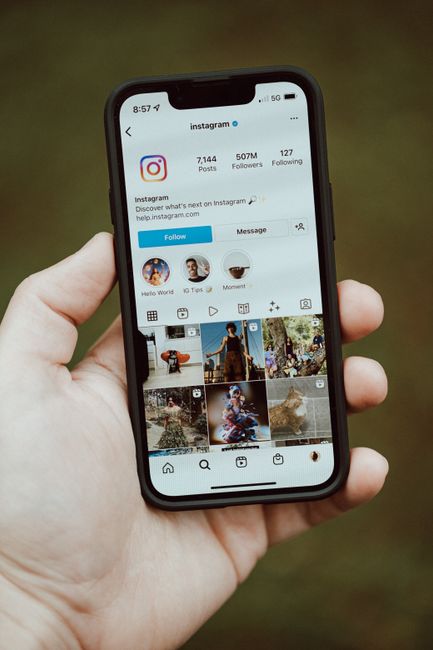
Instagram rewards a different kind of post in each of its corners, so the format deserves as much thought as the idea. The best Instagram post ideas for small business accounts are shaped for where they will appear: a pinned post that works as a shop window, a carousel worth saving, a Reel that earns a stranger's first few seconds and a Story that only needs to be true today. A sandwich bar in Glasgow that sends the same flat photo of its lunch special to the grid, to Stories and to Reels will see it fall short in at least two of those places. Stories want today's news, Reels want movement, and the grid wants something a visitor would still care about next month. Sorting ideas by format first makes the posting quicker as well as better. Not every format needs a face either, since hands, flat lays and text cards can carry an account for owners who would rather stay out of shot.
If you want a broader list that works on every channel, our guide on what to post on social media covers thirty ideas by type, from teaching posts to customer stories. On Instagram the harder question is often the how: the shape, length and style each format rewards. Before you start, decide which two or three formats you will actually keep up, since a business with a busy week does better with steady carousels and Stories than with an ambitious plan for daily Reels that fades by the third week. Look back through your own account and notice which posts brought messages or profile visits, not just likes, and let that guide your choice. Once you have chosen, our free social media calendar maker can spread your ideas across four weeks with caption ideas and hashtags, so you are never deciding on the day. Start with the posts every visitor sees first, the ones pinned to the top of your profile.
Pinned posts: the shop window at the top of your profile
Instagram lets you pin up to three posts to the top of your profile, and for a small business those three squares work like a shop window. Many new visitors arrive at your profile from a Reel, a tag or a search, glance at the top row and decide quickly whether to follow or leave. The first pinned post should say who you are, what you sell and where, ideally in a photo of you or your premises with a short caption. The second should show your best seller or signature service with its price, such as a braiding salon in Accra pinning its knotless braids with the cost and the time involved. The third should explain how to buy: the steps to order, the areas you deliver to, how payment works and how to book. Refresh these three every few months, because a pinned post showing last year's prices sends visitors away confused.
Some businesses do better pinning something other than the classic three. A driving school in Pretoria might pin a carousel of smiling pupils holding their new licences, because that is the proof a nervous learner is looking for. A tutoring centre in Hyderabad could pin the answer to the question every parent asks, which is how lessons are matched to a child's level and what progress reports look like. Below the pinned posts, the next few rows of your grid form a second impression, so avoid a run of blurry photos or near-identical flyers. That does not call for an elaborate colour scheme; using the same light, background or font on text posts is enough to make a grid look cared for. Once a week, look at your grid on your phone as a stranger would, and archive anything that would make you hesitate before buying.
Carousel ideas people save and come back to
Carousels, the posts people swipe through, are made for anything with steps, choices or a story, and they are the format people most often save for later. The first carousel idea is a step-by-step guide with one step per slide. A make-up artist in Lagos showing how to make a base last through a hot outdoor wedding, or a café in Melbourne walking through how it makes its iced coffee, gives followers something useful enough to keep. Put the promise on the first slide in large, plain words, since that slide decides whether anyone swipes. Finish with a slide that says what to do next, such as booking a trial or visiting at the weekend. Saves and shares are among the signals Instagram pays attention to, so a useful carousel often travels further than a pretty single photo.
A second carousel idea is the comparison, with one option per slide and a final slide that helps people choose. A bicycle shop in Cambridge comparing a hybrid, a road bike and an electric bike for commuters, with the price and the kind of rider each one suits, answers a question that usually takes ten minutes in the shop. A third is the price list or menu, laid out clearly across a few slides. A spa in Bali listing its treatments, times and prices, or a mechanic in Kumasi showing the cost of common services, saves both sides a string of messages. Plenty of people will not ask a price in public, so a carousel that answers it quietly brings in customers who would otherwise have scrolled past. Keep a copy of the design so you can update the prices without starting again.
Two more carousel ideas suit businesses that sell craft or expertise. The first is a list of mistakes to avoid, such as a wedding planner in Nairobi covering the booking errors that cost couples money, one per slide with the fix beneath it. People swipe to check whether they are about to make each one, and they send the post to a partner or friend who needs it. The second is the close-up carousel, where the first slide shows a finished product and each slide after it zooms in on a detail. A shoemaker in Northampton might show the whole brogue, then the hand stitching, the leather sole and the lining, each with a line about why it matters. By the last slide, the customer understands the price rather than questioning it.
Reels you can film on a phone in a lunch break
Reels are the format most likely to put you in front of people who do not follow you yet, so they are worth the effort even if you only manage one a week. The easiest Reel is a time-lapse of work in progress, filmed with your phone propped on a shelf. A nail technician in Birmingham doing a full set, or a sign writer in Brighton painting a shopfront, compresses an hour into a few seconds of quiet satisfaction. Another reliable idea is the sound of your trade: meat sizzling on a suya grill in Abuja, beans crackling in a coffee roaster, fabric tearing cleanly along the grain. These Reels need almost no editing and no talking, only good light and a steady phone. Add a line of text on screen saying what and where, because many people watch with the sound off.
Online shops have a Reel idea built into every working day, which is packing an order. A seller of handmade candles in Cebu wrapping a parcel in tissue, adding a handwritten note and sealing the box shows a kind of care that makes viewers want to be the next customer. You can also reply to a comment with a Reel, turning a question such as whether a dress comes in green into a short video showing the green one. That rewards the person who asked and answers everyone else wondering the same thing. If you add music, choose from the sounds the app offers your account, since business accounts are limited to music cleared for commercial use. Keep Reels short and get to the point in the first second or two, because viewers decide almost at once whether to keep watching.
Instagram post ideas for small business owners who would rather stay off camera
Not everyone wants to be the face of their business, and Instagram does not require it. Hands are the most useful stand-in, since a close shot of hands kneading dough, setting a stone into a ring or measuring a window frame shows skill without showing a face. A flat lay, where products are arranged on a plain surface and photographed from directly above, suits anything from spices to stationery and needs nothing more than daylight from a window. Another idea is the point-of-view video, filmed as if the viewer is walking through your door, past the counter and into the workshop. A small hotel in Stone Town could film the walk from its entrance up to a room with a sea view, giving guests the arrival before they have booked. None of these ideas need a microphone, a script or a brave face.
Text posts are the other friend of the camera-shy owner. A real review set in large type on your brand colours, shared with the customer's permission and first name, reads quickly in a busy feed and carries more weight than your own claims. A series of tip cards suits service businesses: an accountant in Manchester might post one tax deadline reminder a month, each in the same design so followers recognise it at a glance. A this-or-that card, such as two cake designs side by side with a question asking which one people prefer, invites quick comments that help the post reach further. If a customer sends a lovely thank-you message, a screenshot with their name hidden and their agreement makes a warm and believable post. Keep the words few and the letters large, since most people will see it on a small screen while doing something else.
Stories, Highlights and collab posts
Stories are where you can be casual, because they disappear after a day and nobody expects them to be polished. Use them for what is true today, and lean on the stickers, which are what make Stories more than a slideshow. A poll sticker lets a bakery in Brisbane ask followers which of two new flavours to bake on Friday, a question sticker lets a skincare shop gather questions for a later post, and a countdown sticker lets a boutique build interest in a collection launching on Saturday. The link sticker sends people straight to your booking page or website, which makes Stories one of the few places on Instagram where a tap leads directly to a sale. A location sticker helps people nearby discover you when they browse their area. Short, regular Stories keep you at the front of your followers' minds in a way a weekly burst does not.
Highlights keep your best Stories on your profile permanently, in small circles under your bio, and they work like a set of mini web pages. Good Highlights for most businesses cover prices, how to order, reviews, delivery areas and common questions. A wedding photographer in Durban might add one Highlight per venue she has shot at, so couples can see her work in the place they have booked. Give each Highlight a short, clear name and a simple cover, and put the most useful one first, because visitors tend to start from the left. Update them when details change, as an old price in a Highlight misleads just as much as one on a pinned post. Highlights take an hour to set up and then answer questions for you for months.
Collab posts let two accounts publish the same post together, so it appears on both profiles and reaches both sets of followers at once. A florist and a café on the same street in Leeds might create a Mother's Day post together, with flowers on the café's tables and an offer for customers of both. A furniture maker could publish a collab with the interior designer who used her pieces in a finished room, and a gym could do the same with a local nutritionist. Choose a partner whose followers are the kind of people who would like your business, not simply the account with the biggest audience. On every post, collab or not, add a location tag and fill in the alt text in the advanced settings, which describes the image for people using screen readers and helps Instagram understand what the post shows. Small details like these widen a post's reach without costing anything.
The simplest way to start is to pick one idea from each format and try them over the next fortnight: fix your three pinned posts, make one useful carousel, film one Reel without talking and set up your first three Highlights. Keep the camera-shy ideas in reserve for busy weeks, since hands, flat lays and review cards can be made in minutes. After two weeks, open your insights and see which format brought profile visits, messages and link taps, then give that format more of your time. Being useful and recognisable will do more for your account than posting often but vaguely. When those link taps start arriving, make sure the page they land on is as clear as your posts, and our AI SEO Tools can check it for you. Good Instagram posts earn attention, and a good page turns that attention into a sale.
Your social media score out of 100 and a strategy with a 4-week posting calendar, captions and hashtags. Free.
Make yours with the AI Social Media Marketing Strategy Maker →